Stop Form Freezes in ODAC.JS
Every web developer has experienced the frustration of a frozen form. You click the submit button, the loader spinner starts spinning, and then nothing happens because a database connection timeout or a 502 Bad Gateway dropped the connection in silence. On the backend, developers often resort to unsafe manual JSON responses to bypass strict security layers, inadvertently breaking CSRF token rotation and leaving subsequent form submissions completely vulnerable to session expiration.
Today, we are changing how web applications handle stateful server interactions. The latest updates to the ODAC.FORM layer in ODAC.JS eliminate the boilerplate and security risks associated with custom actions, providing robust transport-level failure recovery and seamless token rotation.
Quick Start: Show Me The Code
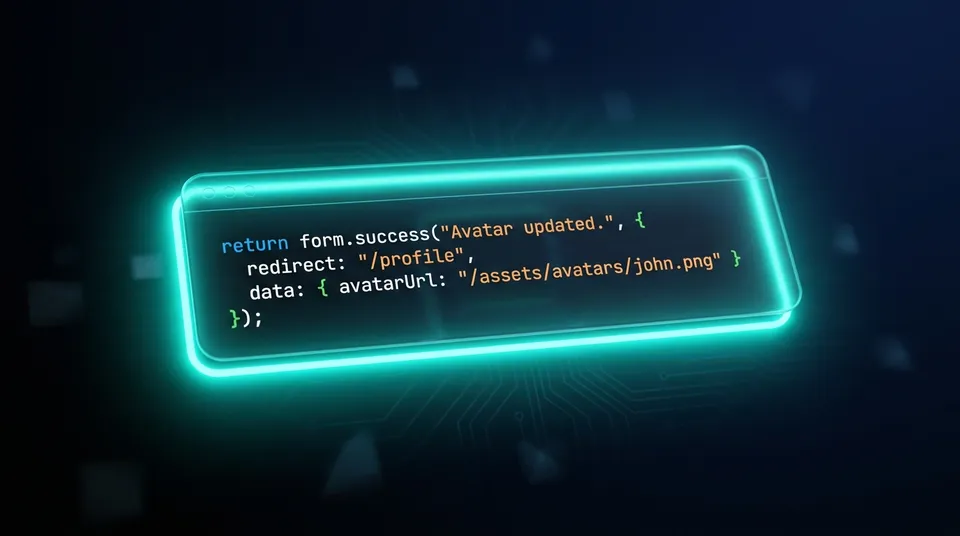
Let us dive straight into how simple and clean this looks in practice. Here is a complete upload action that processes a profile picture on the server and updates the browser immediately with the new URL.
First, define the server action in your controller class:
// controller/Avatar.js
module.exports = class Avatar {
  constructor(Odac) {
    this.Odac = Odac;
  }

  async upload(form) {
    const file = await form.file('avatar');
    const path = await file.move(`${__dir}/../storage/avatars/${file.name}`);

    // Echo the computed path back to the client securely
    return form.success('Avatar updated.', {
      redirect: '/profile',
      data: { avatarUrl: `/assets/avatars/${file.name}` }
    });
  }
}
Next, bind your client-side form with a callback to safely access the returned server data:
// client/app.js
Odac.form('#avatar-form', function(response) {
  if (response.result.success) {
    // Safely update the DOM using returned action data
    document.querySelector('#avatar-preview').src = response.result.data.avatarUrl;
  } else {
    // Handles validation errors AND transport-level connection failures gracefully
    console.error('Submission failed:', response.errors._odac_form);
  }
});
With this setup, the client-side engine automatically tracks the submission state, displays the success or error feedback, and gracefully updates your user interface.
Why We Built This: The Security vs. Flexibility Trade-off
In traditional Node.js setups, returning custom computed data from a form action required a painful trade-off. If you wanted to return a complex JSON payload, you had to bypass the native form handling and manually craft a JSON response. Doing this usually meant skipping the vital security processes that happen inside the ODAC.FORM lifecycle, such as rotating session-tied CSRF tokens.
Without automated token rotation, if a form remains on the page after a successful submission, the very next submit attempt would immediately fail with a cryptic session expiration error. Developers had to manually extract, pass, and reset tokens on the client side, introducing immense security boilerplate.
The new form.success() options pattern solves this once and for all. By passing your custom payload inside the { redirect, data } option, ODAC.JS compiles the payload, automatically generates a new cryptographically secure CSRF token, embeds it into the response metadata, and securely rotates the form session token on the client side. Your applications remain fully hardened against cross-site request forgery without writing a single line of token-management code.
Handling the Worst-Case Scenario: Transport-Level Failures
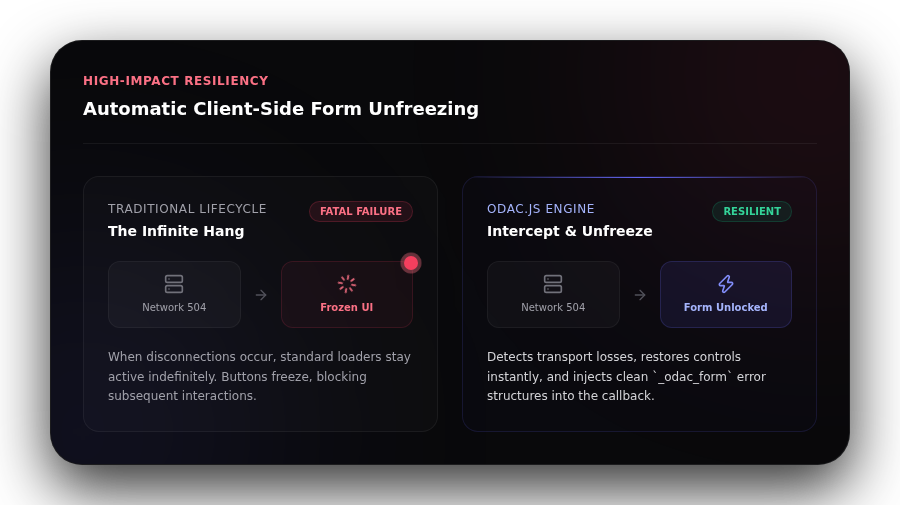
Even the most beautiful web applications are at the mercy of the network. When a server crashes mid-flight or a user walks into a dead Wi-Fi zone during a form submission, standard form handlers often break, leaving the submit button locked in an infinite loading state. The user is left confused, repeatedly clicking the frozen button and potentially creating duplicate transactions.
ODAC.JS resolves this by introducing a unified, resilient client-side transport layer. If a request encounters a transport-level failure, such as a 5xx server error, a network timeout, or a aborted socket connection, the client-side engine intercepts the error immediately.
Rather than hanging in a busy loading state, the engine automatically unfreezes the form inputs, restores the submit button, and injects a standardized error payload directly into the callback:
{
  result: { success: false },
  errors: { _odac_form: 'Request failed' },
  status: 504,
  xhr: XMLHttpRequestInstance
}
This ensures that developers can handle both validation failures and catastrophic server disconnections in a single, predictable location.
Step-by-Step Scenario: Building a Bulletproof Custom Form
Setting up a highly resilient, interactive form in your ODAC.JS application requires only four simple steps:
- Build your view: Use the
<odac:form>component and assign it a uniqueidattribute.
<odac:form action="Avatar.upload" id="avatar-form">
  <odac:input type="file" name="avatar" label="Profile Picture">
    <odac:validate rule="required|maxsize:2MB|mimetype:image/png,image/jpeg" message="PNG or JPEG, max 2MB"/>
  </odac:input>
  <odac:submit text="Upload Avatar" loading="Uploading..."/>
</odac:form>
- Process on the server: In your controller, capture the validated file or inputs from the
formobject.
const file = await form.file('avatar');
- Respond with data: Return a structured response using
form.success()with the computed details.
return form.success('Uploaded!', { data: { avatarUrl: `/assets/${file.name}` } });
- Update the client: Catch the payload in your browser script using
Odac.form()to seamlessly update the user interface.
Odac.form('#avatar-form', function(response) {
  if (response.result.success) {
    document.querySelector('#avatar-preview').src = response.result.data.avatarUrl;
  }
});
Advanced Tip: Distinguishing Rejections from Network Outages
When handling transport-level failures, you might want to customize the user interface differently if the server rejected the input versus if the server is completely down.
To make this distinction easy, ODAC.JS embeds the status and xhr fields exclusively on transport-level failures. For standard application validation errors returned directly by your controller actions, these fields are undefined:
Odac.form('#payment-form', function(response) {
  if (!response.result.success) {
    if (response.status !== undefined) {
      // This is a network outage or server crash (e.g., status 503, 504)
      showGlobalNotification('Server is currently unreachable. Please try again.');
    } else {
      // This is a standard validation error (e.g., card declined)
      highlightFieldErrors(response.errors);
    }
  }
});
By inspecting the presence of the status field, you can easily provide context-aware error messages, informing users precisely what went wrong and ensuring an elite user experience under all conditions.
We designed ODAC.JS to remove the friction of building full-stack applications. With the hardened ODAC.FORM architecture, you can build secure, resilient, and highly interactive user experiences with zero boilerplate.