ODAC.JS Native i18n Deep Dive
Most Node.js frameworks treat internationalization as an afterthought. You are expected to wire up a messy middleware chain, parse locale files manually, and inject a bloated translation object into your rendering pipeline. We refuse to compromise on developer experience and execution speed. ODAC.JS ships with a native, zero-dependency i18n engine baked directly into its core rendering engine.
The architectural trade-off was clear. We wanted the speed of an O(1) hash map lookup without the overhead of heavy third-party localization libraries. By parsing locale files directly at the framework level, we eliminated the classic translation bottleneck. The result is a lightning-fast, secure, and native multi-language system designed for the enterprise.
Quick Start: Show Me The Code
You do not need to install anything to build a multilingual application. Simply drop a JSON file into your locale/ directory and use the native <odac translate> tag.
Step 1: Define your locale file (locale/tr.json)
{
  "Welcome": "Hoş Geldiniz",
  "Hello %s1": "Merhaba %s1"
}
Step 2: Use it in your view
<h1><odac translate>Welcome</odac></h1>
It is that simple. ODAC.JS automatically looks up the translation key and securely renders the localized string.
Dynamic Placeholders and Safety
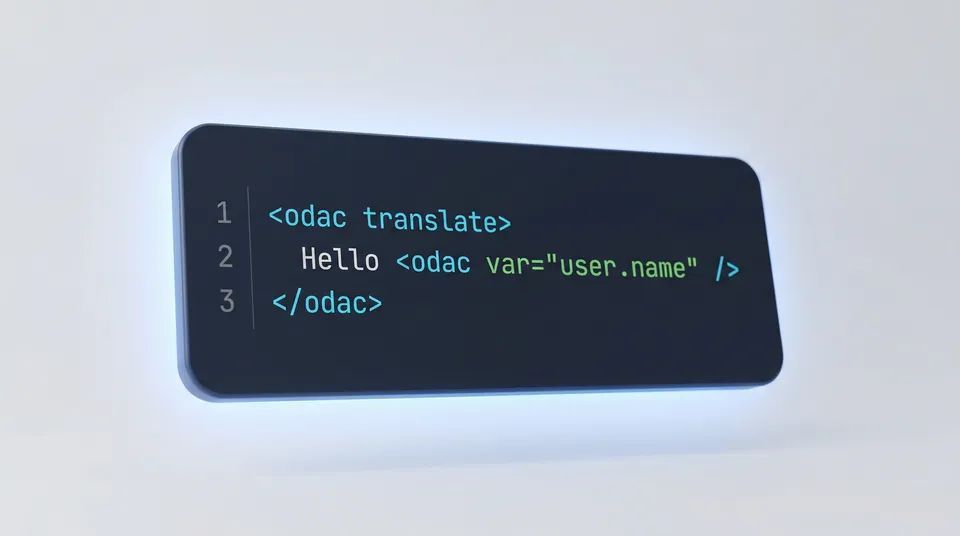
Modern views require dynamic data. Instead of forcing you to use clunky template functions, we integrated placeholders natively into the template engine. You can nest <odac var> tags directly inside your translation block.
<p>
  <odac translate>Hello <odac var="user.name" /></odac>
</p>
This generates a translation key like Hello %s1 behind the scenes. ODAC.JS handles the string interpolation and safely escapes the output by default. If you need to render trusted HTML from a translation file, simply use the raw attribute.
<odac translate raw>
  Click <a href="/help">here</a> for support.
</odac>
Controller-Level Localization
Sometimes you need to translate messages before they reach the view. Perhaps you are sending an email or returning a localized JSON response. The Odac assistant gives you direct access to the backend translation engine.
- Set the Language: Control the active locale effortlessly via
Odac.Lang.setLanguage(lang). - Translate Strings: Use
Odac.__(key, variables)to fetch translations synchronously.
module.exports = async function(Odac) {
  // Set the language dynamically based on user preferences
  const userLang = Odac.Request.get('lang') || 'en';
  Odac.Lang.setLanguage(userLang);

  // Fetch a translated string with placeholder injection
  const message = Odac.__('Welcome back, %s1!', Odac.Auth.user().name);
  Odac.set('message', message);

  Odac.View.skeleton('main').set('content', 'dashboard');
}
By keeping internationalization inside the framework, we removed the friction of scaling your application globally. ODAC.JS provides the power you need to conquer new markets without adding a single line of boilerplate.