ODAC.JS Project Structure Explained
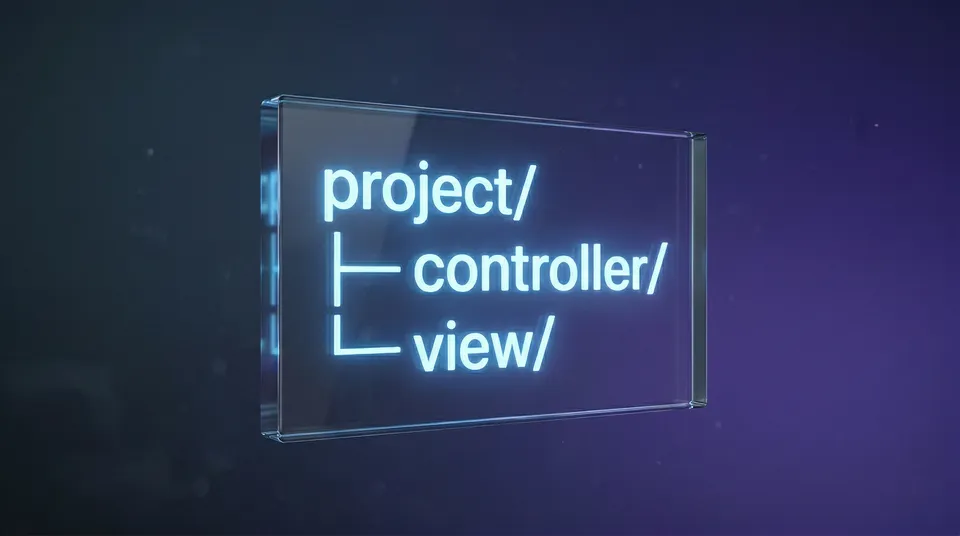
Let's be honest: one of the biggest silent killers in modern Node.js development is architectural fatigue. When you start a new Express or Fastify project, you're immediately slapped with the burden of decision. Do you group by feature? Do you group by layer? Before you've written a single line of business logic, you're playing architect with your folders. It’s exhausting, and it leads to spaghetti code when a team scales.
With ODAC.JS, we refused to let our users burn cycles on scaffolding. We engineered a strict, highly opinionated, zero-config directory architecture that enforces separation of concerns out of the box. The framework natively maps incoming HTTP requests to discrete subdomains, controllers, and views without requiring you to manually wire everything together in a massive index file. We wanted an Enterprise-Grade structure that scales from a solo hacker weekend to a Fortune 500 engineering team.
Let's break down the "Why" behind the ODAC.JS layout.
Show Me The Code
Before diving into the architecture theory, here's exactly what an ODAC.JS route looks like in practice.
// route/api.js
Odac.Route.get('/users', async () => {
  // Directly hit the database and return JSON
  return await Odac.DB.users.where({ active: true }).get();
});

// route/www.js
// Map the /about path directly to the 'about' view template
Odac.Route.page('/about', 'about');
That's it. No manual app.use(), no manual view engine configuration. The framework handles the wiring automatically.
Separation of Concerns: The controller and view Directories
The core philosophy of our MVC implementation is absolute isolation. In ODAC.JS, your HTTP handlers live exclusively in the controller/ directory. These modules process the request, hit the query builder, and pass data forward. Your presentation layer lives strictly in view/.
// controller/page/home.js
module.exports = async (Odac) => {
  // We hit the Odac.DB query builder inside the controller
  const users = await Odac.DB.users.where({ active: true }).get();

  // We prep the data, but we don't render HTML here
  Odac.set({ recentUsers: users });

  // We point to a view template and let the engine take over
  Odac.View.set('content', 'home');
};
Why do we force this split? Because mixing template logic with database I/O is a fast track to a maintenance nightmare. By keeping them separate, your front-end team can modify Tailwind CSS classes inside view/ without ever touching the Node.js backend logic in controller/.
Subdomain Routing: The route Directory
Instead of a monolithic routes.js file that grows to 10,000 lines, ODAC.JS introduces domain-driven routing. Inside your route/ directory, you define separate files for each subdomain.
// route/www.js
// This route is mapped specifically for www.example.com
Odac.Route.page('/', 'home');
Odac.Route.page('/about', 'about');
// route/api.js
// This route is mapped specifically for api.example.com
Odac.Route.get('/status', async () => {
  return { status: "Enterprise Ready" };
});
The router engine is intelligent enough to automatically route requests based on the host header, significantly reducing the boilerplate required to manage complex API and frontend web boundaries on the same server instance.
Business Logic Isolation: The class Directory
When your controllers get too fat, where does the logic go? In standard Express apps, developers often dump business logic into random "utils" or "services" folders. In ODAC.JS, we provide the class/ directory specifically for request-scoped service classes.
By defining your heavy lifting classes here, you maintain clean, easily testable business logic that isn't tightly coupled to the HTTP lifecycle. This means sub-millisecond latency for your route handlers, as they simply act as traffic cops, delegating work to your core classes.
The beauty of ODAC.JS is that you don't have to configure any of this. The framework knows exactly where your controllers are, exactly where your views live, and exactly how to route your traffic. We killed the boilerplate so you can focus on writing features.