ODAC.JS View Engine Deep Dive
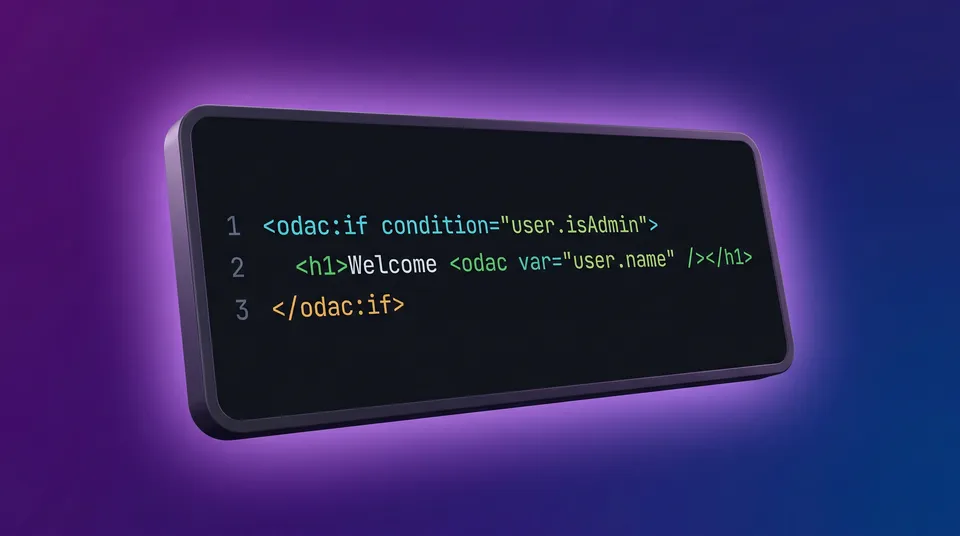
The Node.js ecosystem has a longstanding obsession with heavy template engines. For years, we have been told that to build dynamic HTML, we must learn completely new syntaxes like Pug, EJS, or Handlebars. These engines often introduce massive dependency trees, obscure error traces, and syntax that looks nothing like actual HTML.
At ODAC.JS, we simply refused to compromise on Developer Experience (DX). We asked a fundamental question: Why can't we just write HTML and extend it naturally?
The result is the native ODAC.JS View Engine. It is a zero-dependency, insanely fast, and XSS-safe template system built directly into the framework core. It uses custom HTML tags (<odac:>) to handle logic, variables, and control flow. It feels exactly like writing modern web components, but everything compiles server-side before it ever hits the browser.
Let's dive into how it works and how you can use it to build dynamic views instantly.
⚡ Show Me The Code (Quick Start)
The easiest way to understand the ODAC.JS View Engine is to see it in action. Here is a simple example of passing data from a controller to a view and rendering it dynamically.
In your controller, you simply use Odac.set() to pass data to the view context:
// controller/get/dashboard.js
Odac.set('user', { name: 'Alice', role: 'admin' });
Odac.set('metrics', [120, 45, 99]);

Odac.View.set('content', 'dashboard');
Then, in your dashboard.html view file, you use our built-in tags to render the data:
<div class="dashboard">
  <h1>Welcome, <odac var="user.name" />!</h1>

  <odac:if condition="user.role === 'admin'">
    <div class="alert success">You have Admin privileges.</div>
  <odac:else>
    <div class="alert info">Standard account limits apply.</div>
  </odac:if>

  <ul>
    <odac:for in="metrics" value="metric">
      <li>Score: <odac var="metric" /></li>
    </odac:for>
  </ul>
</div>
That is it. No messy brackets for logic, no complex block declarations. Just clean, readable HTML.
🛡️ Secure Variable Interpolation
Security and readability are non-negotiable for enterprise-grade applications. When displaying variables, ODAC.JS offers two interchangeable syntaxes. Both are automatically HTML-escaped by default to prevent Cross-Site Scripting (XSS) attacks.
Here is a breakdown of our flexible rendering API:
- Tag Syntax: Use
<odac var="property" />for standalone block content where the variable is the main element. - Inline Syntax: Use
{{ property }}to inject data directly into HTML attributes or within continuous text blocks.
The tag syntax is perfect for structured layouts:
<h2><odac var="product.title" /></h2>
<p><odac var="product.description" /></p>
The inline interpolation syntax shines when constructing attributes:
<img src="{{ product.imageUrl }}" alt="{{ product.title }}">
<p>Hello {{ user.name }}, your order total is ${{ order.total }}.</p>
We built the template compiler to recognize both forms and process them equivalently. The choice is entirely yours based on what makes your code cleaner.
🔀 Smart Control Flow with Conditionals
Dynamic interfaces require robust conditional rendering. Instead of breaking out into awkward JavaScript blocks, ODAC.JS uses standard HTML tags for control flow. The <odac:if>, <odac:elseif>, and <odac:else> tags accept raw JavaScript expressions in their condition attributes.
Here is a practical tutorial on building a tiered user dashboard:
<div class="subscription-status">
  <odac:if condition="user.tier === 'enterprise'">
    <h3>Enterprise Plan Active</h3>
    <a href="/support/priority">Contact Priority Support</a>
  <odac:elseif condition="user.tier === 'pro'">
    <h3>Pro Plan Active</h3>
    <a href="/upgrade">Upgrade to Enterprise</a>
  <odac:else>
    <h3>Free Plan</h3>
    <a href="/upgrade">Unlock Pro Features</a>
  </odac:if>
</div>
Because the condition attribute evaluates standard JavaScript, you can easily use logical operators or check array lengths directly within your view logic:
<odac:if condition="notifications.length > 0 && !user.isMuted">
  <div class="badge"><odac var="notifications.length" /> New Alerts!</div>
</odac:if>
🔁 Painless Iteration with Loops
Displaying lists of data (like database query results) is arguably the most common task in web development. The ODAC.JS View Engine handles this gracefully with the <odac:for> tag.
Let's look at how you might render a grid of active users. In this tutorial example, we will iterate over an array of users, and we will even use the <odac:continue /> tag to skip inactive accounts cleanly.
// controller/get/users.js
const usersList = [
  { id: 1, name: 'Alice', active: true },
  { id: 2, name: 'Bob', active: false },
  { id: 3, name: 'Charlie', active: true }
];

Odac.set('users', usersList);
Odac.View.set('content', 'user-directory');
<!-- view/user-directory.html -->
<div class="user-grid">
  <odac:for in="users" value="user">

    <odac:if condition="!user.active">
      <odac:continue />
    </odac:if>

    <div class="user-card" id="user-{{ user.id }}">
      <h4><odac var="user.name" /></h4>
      <a href="/profile/{{ user.id }}">View Profile</a>
    </div>

  </odac:for>
</div>
The syntax is immediately familiar to any frontend developer. You define the array source with the in attribute, and assign the current item to the value attribute. Need the loop index? Just add the key attribute.
🏁 The Verdict
By rejecting external dependencies and building a highly optimized, logic-aware HTML parser, ODAC.JS delivers an unmatched Developer Experience. You get the power of dynamic server-side rendering without the bloat of traditional template engines.
Your views stay clean. Your templates remain secure. Your rendering stays incredibly fast.
We built ODAC.JS to remove friction so you can focus on shipping features. The native View Engine is just one piece of that puzzle. Dive into the docs, write some <odac:> tags, and experience the speed for yourself.