Stop Editing Zone Files: Visual DNS is Here

DNS management has traditionally been the part of the stack that everyone dreads. You either find yourself wrestling with clunky third-party registrar panels that look like they were designed in 1998, or you are manually editing BIND zone files on a terminal, praying you didn't miss a trailing dot. It is a workflow filled with friction, slow feedback loops, and a constant fear of breaking your production routing.
At ODAC, we believe that your infrastructure should be as visual as it is powerful. That is why we are introducing native DNS orchestration directly within the ODAC Cloud dashboard. No more context switching, no more manual config syncs, and no more "did I save the zone file?" anxiety.
The Visual Edge of DNS
When you log into app.odac.run, you are not just looking at a list of servers. You are looking at your entire infrastructure on the Live Canvas. We have integrated DNS management into this visual flow, allowing you to manage your domains and records exactly where your applications live.
This is not just a UI skin over an old system. When you make a change on the ODAC dashboard, it propagates instantly to your server. Your core infrastructure stays in sync without you ever needing to touch a configuration file.
Seamless Domain Routing
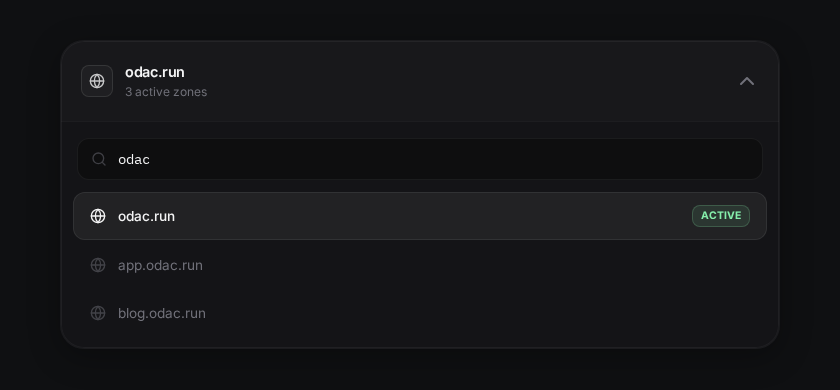
Managing your domains should be as simple as clicking on a resource. From the Live Canvas, you can select any connected server and jump straight into its DNS settings. Whether you are adding a new A record for a sub-domain or configuring complex MX records for your mail server, the interface is designed to be intuitive and error-proof.
The workflow is built for speed. You can search through your zones, filter records, and see exactly what is pointed where in a single, clean view.
Adding Records in Seconds
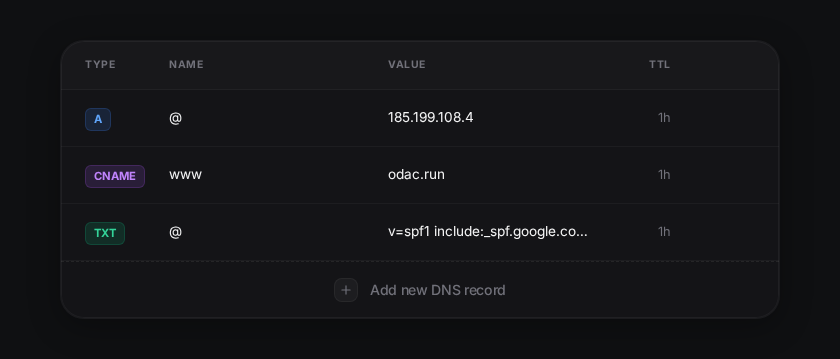
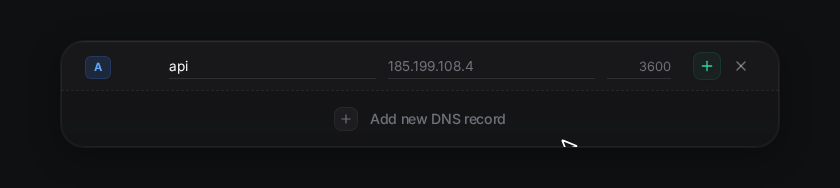
The "Add Record" experience in ODAC is built around an "inline-first" philosophy. Instead of opening a complex modal or a new page, you simply click the add button at the bottom of your records table. A new row appears instantly, allowing you to type in your record details and confirm the change without losing context.
- Navigate to your server on the Live Canvas.
- Open the Domain and DNS settings.
- Click Add new DNS record at the bottom of the table.
- Enter your record type, name, and value.
- Hit the confirm button and watch it sync.
Terminal Power for the CLI-Driven
While we lead with our visual dashboard at app.odac.run, we know many of you live in the terminal. The ODAC philosophy is to provide the best of both worlds. Every action you can take in the cloud is also available via the ODAC CLI.
If you need to quickly audit your records or integrate DNS checks into your local scripts, you can use the native commands:
# List all DNS records for your current project
odac dns list

# Manage your domains
odac domain list
Instant Sync, Global TTL
One of the biggest pain points with traditional DNS is the "black box" of propagation. While ODAC ensures that your changes are synced to your server infrastructure the millisecond you hit save, the global internet still follows the rules of Time To Live (TTL).
We have made TTL management explicit and easy to configure for every record, giving you the control to balance propagation speed with caching efficiency.
DNS management is no longer a chore you have to tolerate. With ODAC, it is a native, visual, and integrated part of your deployment journey. Head over to app.odac.run and take control of your routing today.