True Zero-Config: Native Runtime Detection
We have all been lied to. For years, "Zero-Config" has been the holy grail of cloud platforms, but the reality was often a messy compromise of hidden defaults, manual environment overrides, and the constant fear that your "latest" tag might break your production build on a Tuesday morning.
At ODAC, we believe your infrastructure should adapt to your code, not the other way around. Today, we are closing the gap between your source code and your production environment with Native Runtime Detection.
The End of "It Works on My Machine"
Previously, when you deployed an application on ODAC, we assigned a sensible default (usually the latest LTS image for your chosen strategy). It worked for 90% of cases, but that final 10% required you to dive into settings and manually override environment variables to specify a Node.js or Go version.
No more.
ODAC Cloud now natively understands your application’s exact requirements by reading your repository’s configuration files directly. Whether you are building with Node.js, Go, Python, PHP, or Rust, ODAC’s builder intelligently parses your source to resolve and pull the precise environment your project demands.
How It Works (From Your Perspective)
The beauty of this update is that you don't have to do anything differently. You just keep writing code.
1. The Setup
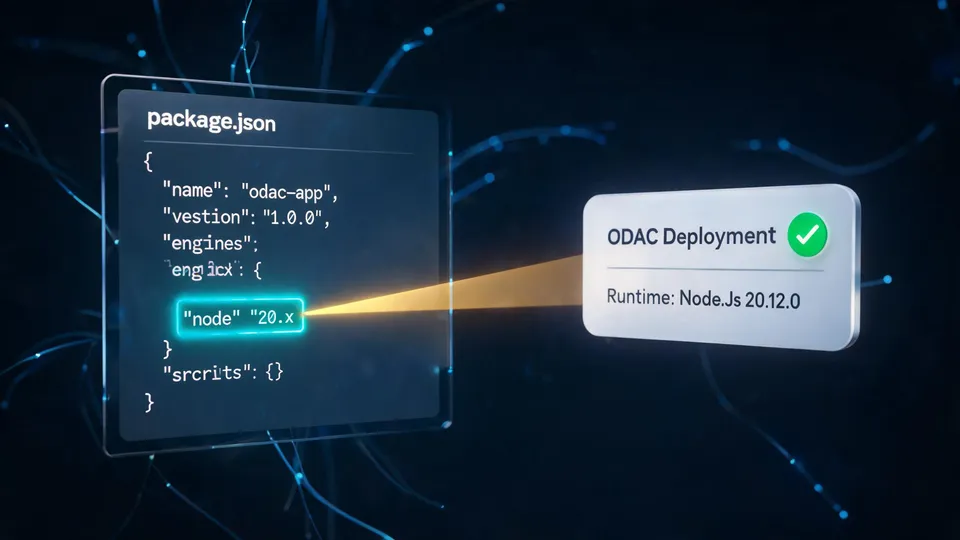
Declare your required version in your project files as you normally would. For a Node.js application, that means your package.json:
{
  "name": "my-ultra-cool-app",
  "engines": {
    "node": "20.x"
  }
}
2. Connect and Deploy
Head over to the Dashboard at app.odac.run. Open the Live Canvas, hit the plus icon (or double-click anywhere), and find your repository in the Launcher.
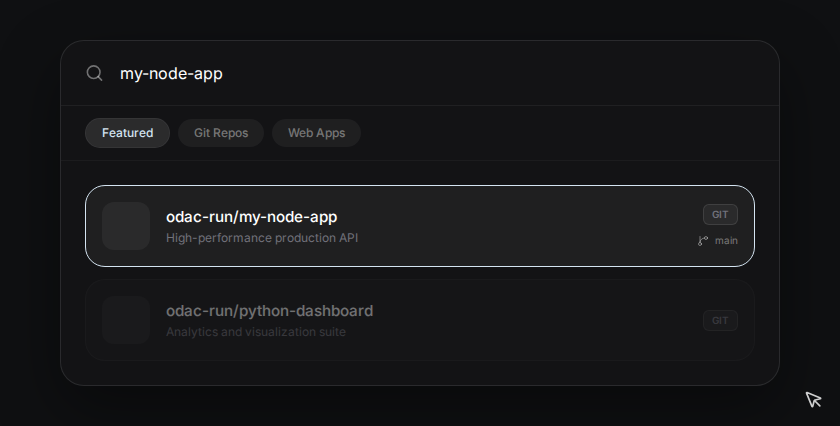
Once you select your repo and drop it onto your server, the magic starts.
3. Intelligent Resolution
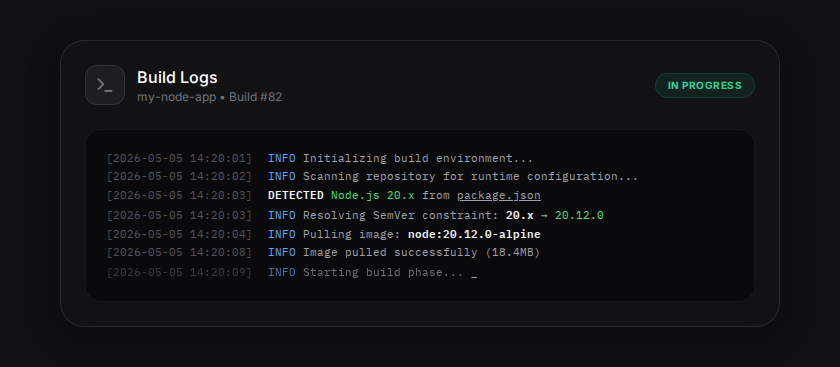
As your application enters the "loading" state on the Live Canvas, ODAC is already hard at work. It scans your repository for files like package.json, go.mod, pyproject.toml, composer.json, or rust-toolchain.

4. Deterministic Builds
Open the Inspector for your new app and click on Build Logs. You’ll see ODAC identifying your SemVer constraints in real-time and provisioning the exact Alpine-based container image required. No more manual overrides. No more version mismatch.
Supported Environments
We have launched with deep support for the most popular runtimes in the ecosystem:
- Node.js: Parses the
enginesfield inpackage.json. - Go: Detects the version specified in
go.mod. - Python: Reads
pyproject.tomlorruntime.txt. - PHP: Understands constraints in
composer.json. - Rust: Respects the
rust-toolchainfile.
Safe Fallbacks
What if you haven't specified a version? Don't worry. ODAC is designed with a "Secure by Default" philosophy. If your repository lacks a recognized version file or if the string is malformed, we safely fall back to the most recent, secure LTS image for that strategy. Your deployment will still succeed, and it will be running on a battle-tested foundation.
Experience the Magic
This update is about more than just automation; it is about peace of mind. By making the deployment environment a direct reflection of your source code, we have made builds deterministic, reproducible, and truly zero-config.
Stop wasting time on infrastructure settings. Drag, drop, and let ODAC handle the rest.
Log in to app.odac.run and try it today.