Stop Blocking TTFB With ODAC.JS Lazy Components
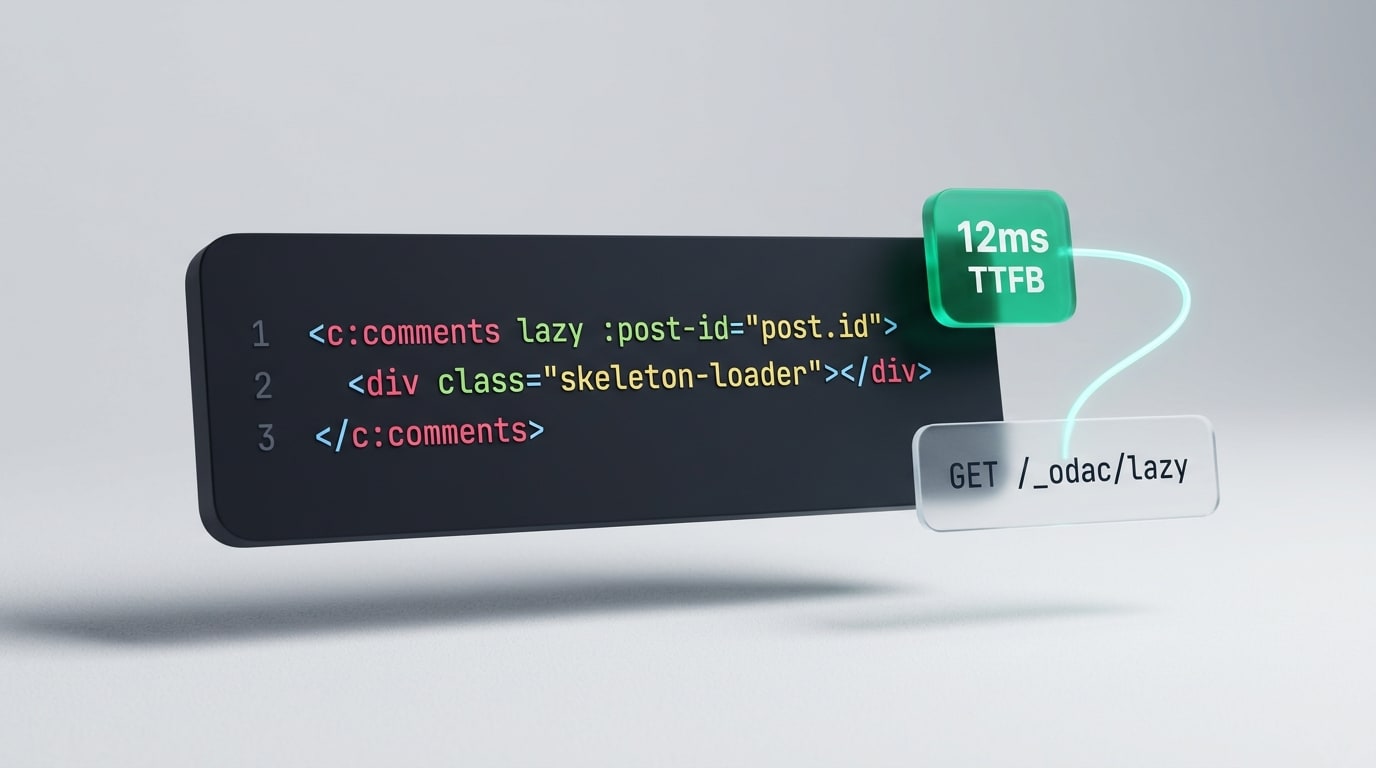
Every server-rendered Node.js application eventually hits the same wall: one slow widget holds the entire HTML response hostage. You optimize your primary article query down to four milliseconds, only to watch Time to First Byte (TTFB) balloon to 400 milliseconds because the comments section at the bottom of the page or a personalized header badge had to resolve before the first byte left the server.
Worse still is the caching paradox. The moment you put a public blog post or product page behind Odac.cache(), you give up per-user fragments like a signed-in account menu or a live cart counter. To solve either problem in traditional Node.js stacks, developers end up building bespoke /api/* JSON routes, duplicating auth guards, wiring client-side fetch() boilerplate, and praying their state stays in sync.
With ODAC.JS lazy components, you solve both problems by adding a single attribute: lazy.
The Architectural Trade-Off We Refused to Make
When designing deferred rendering for ODAC.JS, two naive options immediately came off the table. The first was keeping a server-side render cache of component props in memory or Redis, which adds operational bloat, breaks on worker restarts, and forces sticky sessions across horizontal instances.
The second option was trusting the browser to send props back in a query string, like ?postId=42. That pattern is a security trap waiting to happen: any visitor with DevTools open can tamper with props, enumerate internal IDs, or bypass the parent view's intended context.
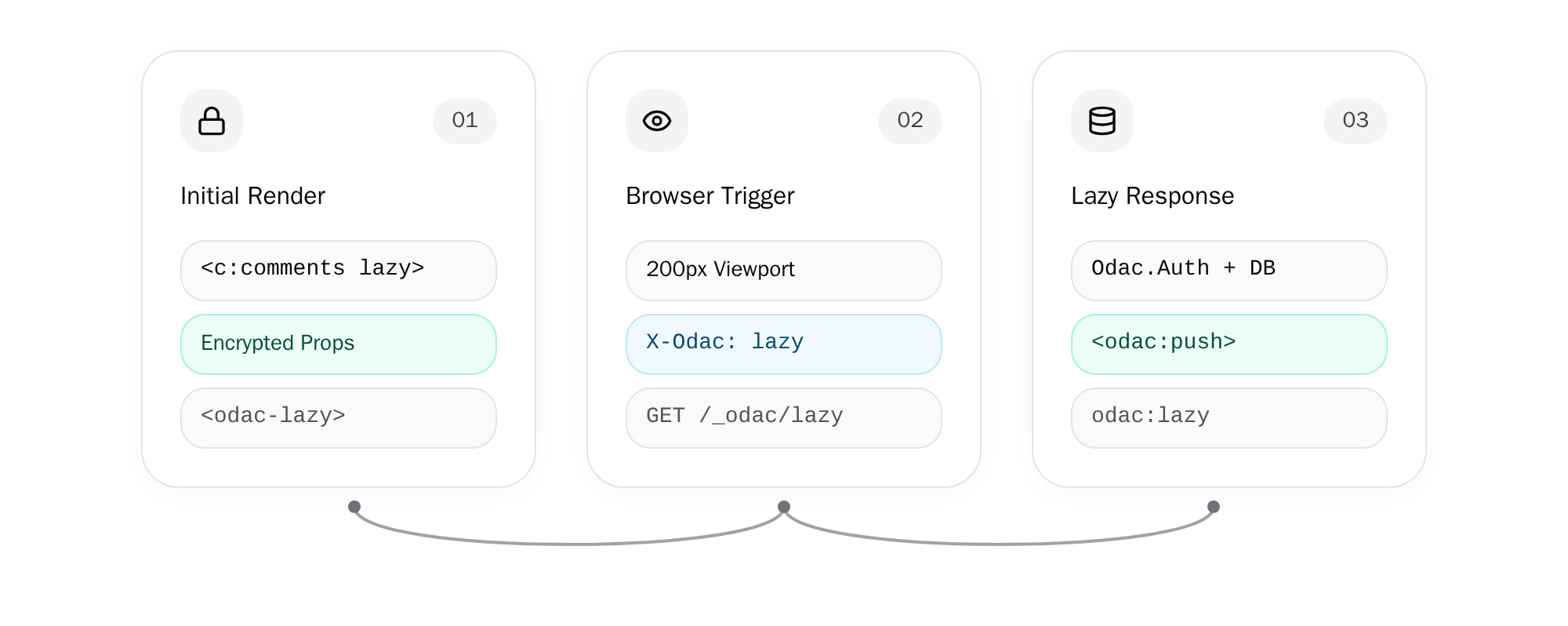
We wanted zero server-side render state and zero client-side trust. When ODAC.JS encounters a lazy component during the initial page render, it validates the component and seals its metadata (component name, evaluated props, served language, signed-in user binding, and timestamp) into an authenticated, encrypted token. The browser receives an <odac-lazy> placeholder containing only your skeleton markup and that tamper-proof token, then fetches the rendered HTML automatically when needed.
Show Me the Code
You do not need a new controller, a new route file, or a single line of client-side fetch() code. Take a standard blog post view in view/content/post.html and defer the comments thread with lazy:
<!-- view/content/post.html -->
<article>
  <h1>{{ post.title }}</h1>
  <p>{{ post.body }}</p>
</article>

<c:comments lazy :post-id="post.id">
  <div class="h-40 animate-pulse bg-gray-100">Loading comments...</div>
</c:comments>
Everything inside <c:comments lazy ...>...</c:comments> renders immediately in the parent page's scope as the placeholder skeleton. Meanwhile, the component itself lives in view/components/comments.html and runs its own database query inside <script:odac> only when the lazy request arrives:
<!-- view/components/comments.html -->
<odac:props :postId />
<script:odac>
  const comments = await Odac.DB.comments
    .where('post_id', postId)
    .orderBy('id', 'desc')
    .limit(20)
</script:odac>

<section {!! attrs.class('comments') !!}>
  <odac:for in="comments" value="comment">
    <p>{{ comment.body }}</p>
  </odac:for>
</section>
Notice what happens during the initial page request: post.html streams to the browser without waiting for Odac.DB.comments to finish. Because :post-id is encrypted inside the placeholder token, the component trusts postId without trusting the browser.
Viewport vs. Immediate Load: Two Ways to Defer
Different UI sections have different priorities, so ODAC.JS gives you two trigger modes directly on the tag:
lazyorlazy="visible": The browser observes the<odac-lazy>placeholder and triggers the request when the element enters within 200px of the viewport. This is ideal for below-the-fold sections like comment threads, related products, or heavy analytics charts that a visitor might not even scroll down to see.lazy="load": The browser requests the component immediately after the initial page finishes loading, regardless of scroll position. Use this for above-the-fold widgets that should appear right away without slowing down the initial document or breaking full-page caching.
During the fetch, ODAC.JS automatically sets data-odac-lazy-state="loading" on the placeholder element so you can style transitions cleanly in CSS. If the background request fails, the placeholder markup remains intact and receives data-odac-lazy-state="error", preventing broken layouts or silent blank holes in your UI.
Caching the Uncacheable With Odac.cache()
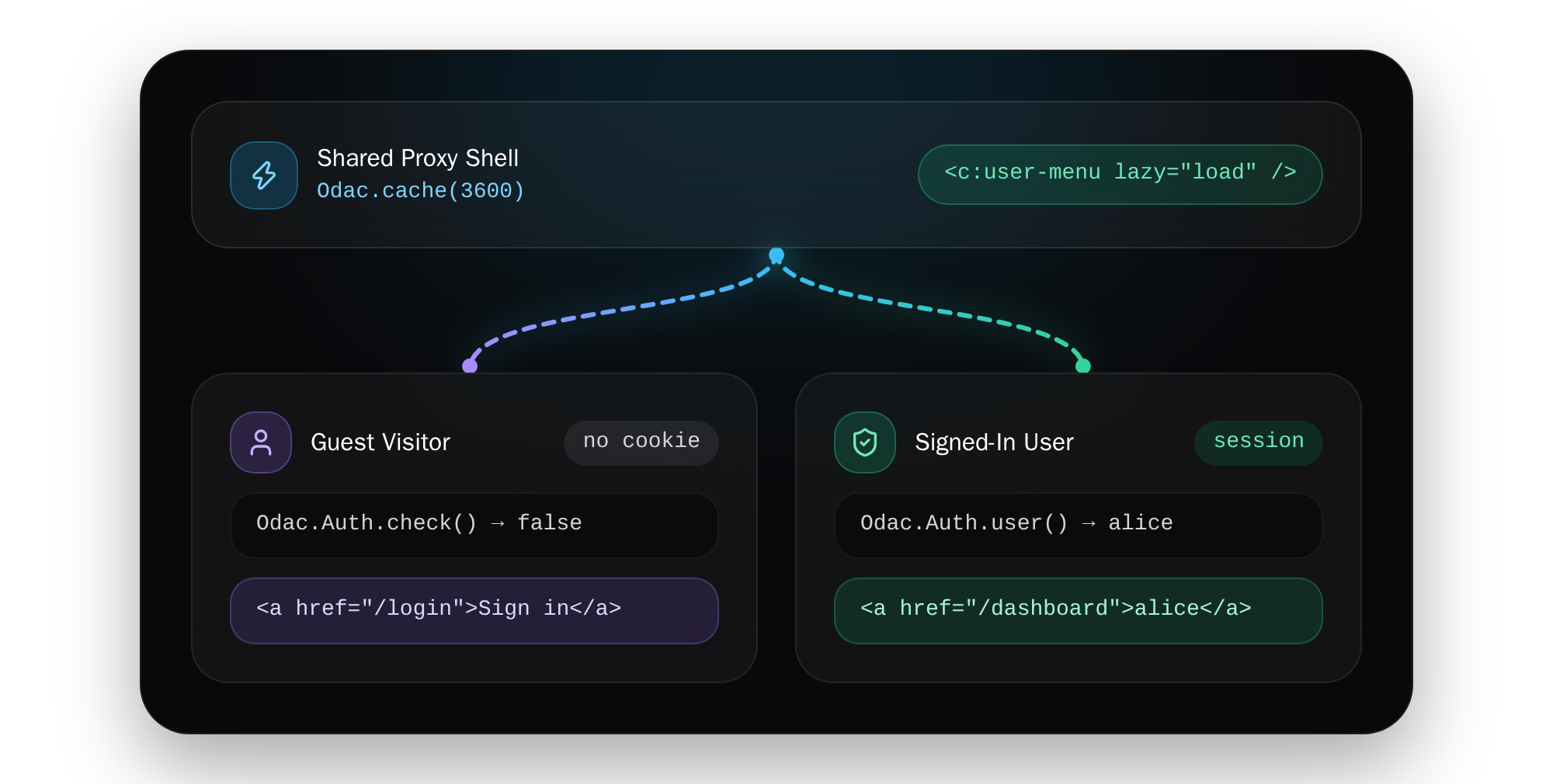
The biggest architectural win of lazy="load" shows up when you pair it with proxy caching. Normally, Odac.cache(3600) is strictly for pages whose HTML is identical for every visitor: marketing pages, articles, or documentation. Drop a personalized "Welcome back, Alice" header into that page, and you either leak Alice's session to Bob or forfeit edge caching altogether.
By splitting the static shell from the personalized fragment, you get the best of both worlds. Keep your controller cached as a guest response:
// controller/post.js
module.exports = async function (Odac) {
  Odac.cache(3600)

  const post = await Odac.DB.posts.where('id', Odac.Request.get('id')).first()
  Odac.set('post', post)

  Odac.View.set({
    skeleton: 'main',
    header: 'main',
    content: 'post',
    footer: 'main'
  })
}
Inside your shared view/header/main.html part, render the visitor-specific menu with lazy="load":
<!-- view/header/main.html -->
<nav class="site-nav">
  <a href="/">Home</a>
  <c:user-menu lazy="load">
    <span class="menu-skeleton">Account</span>
  </c:user-menu>
</nav>
Then read the visitor's live session inside view/components/user-menu.html:
<!-- view/components/user-menu.html -->
<script:odac>
  const isLoggedIn = await Odac.Auth.check()
  const user = isLoggedIn ? Odac.Auth.user() : null
</script:odac>

<odac:if condition="user">
  <a href="/dashboard">{{ user.username }}</a>
<odac:else>
  <a href="/login">Sign in</a>
</odac:if>
Every visitor hits the cached HTML shell from the proxy in milliseconds. Immediately after load, each browser calls /_odac/lazy with its own session cookie, turning a static cached document into a personalized application shell without maintaining a single custom API endpoint.
Security, Visitor Binding, and Fail-Fast Validation
Deferring work to a second HTTP request introduces subtle failure modes if a framework cuts corners. ODAC.JS treats lazy boundaries with the exact same strictness as synchronous server renders:
- Fail-fast page checks: Component existence, required props in
<odac:props>, and payload size limits are validated during the initial page render. A typo in a tag name or a missing:post-idfails the page immediately with a 500 error instead of failing silently in a background fetch. - Cryptographic visitor binding: A lazy placeholder rendered for an authenticated user is bound to that user and cannot be loaded by anyone else. A placeholder rendered for a guest (such as on an
Odac.cache()page) can be loaded by any visitor, while still executing inside that visitor's ownOdac.Authsession. - Cross-origin request protection: The built-in
/_odac/lazyendpoint requires theX-Odac: lazyrequest header and responds withCache-Control: no-store, ensuring browsers block unauthorized cross-origin triggers and never leak user-specific HTML into shared HTTP caches. - Zero-config key management with cluster support: Single-server apps automatically generate and reuse a local secret in
storage/.key(keepstorage/across deployments so open or cached pages continue resolving). When scaling across multiple servers, configure a sharedencrypt.keyinodac.json:
{
  "encrypt": {
    "key": "${APP_KEY}"
  }
}
Asset Stacks, Lifecycle Events, and AJAX Navigation
Deferred HTML is only half the story if your component brings its own stylesheets, client scripts, or interactive widgets. Inline <script> tags inside lazy component HTML do not execute automatically when injected into the DOM, by design.
Instead, use <odac:push> to target an <odac:stack> defined in your skeleton. When a lazy component finishes loading, ODAC.JS merges its pushed stylesheets and executes its pushed scripts once in place. Nested lazy components inside the response are picked up automatically, and placeholders arriving through ODAC.JS AJAX navigation behave identically without extra setup.
If you need to initialize third-party libraries like charting engines or code highlighters once a lazy fragment lands in the DOM, listen for the odac:lazy and odac:lazyError events in your frontend script:
// Initialize widgets once the lazy component replaces its placeholder
document.addEventListener('odac:lazy', event => {
  for (const node of event.detail.nodes) {
    if (node.matches?.('.chart')) {
      drawChart(node)
    }
  }
})

// Provide custom fallback UI if the lazy request fails
document.addEventListener('odac:lazyError', event => {
  event.detail.element.textContent = 'Could not load this section.'
})
Practical Guardrails to Keep in Mind
To keep lazy components fast, predictable, and secure in production, follow a few clear boundaries:
- Pass IDs, not full database rows: Serialized props are capped at 3 KB per component. Pass lightweight identifiers like
:post-id="post.id"and query what you need inside<script:odac>. - Isolate scope intentionally: A lazy request preserves the original page's language, but it does not inherit the parent controller's
Odac.set()variables or URL query string. Always pass required context explicitly as props. - No slots and no mail templates: Everything inside a
<c:... lazy>tag is treated as the placeholder skeleton, so lazy components do not accept slots. Mail templates also prohibitlazybecause email clients do not execute dynamic viewport fetches. - Seven-day token window: Encrypted placeholder tokens expire 7 days after the initial page render, which comfortably covers long-lived browser tabs and cached pages while bounding token lifetime.
- Authorize private data inside the component: Even though props are encrypted and tamper-proof, always verify permissions with
Odac.Authinside private components. Props specify what to render, not who is authorized to view it.
Ship Fast Shells Without Splitting Your Stack
You should not have to rewrite a clean server-rendered application into a client-side SPA just to stop a secondary database query from dragging down your TTFB, or to display a logged-in user menu on a cached marketing page. By keeping rendering declarative inside <c:...> tags and sealing props into stateless encrypted tokens, ODAC.JS lets you isolate slow or personalized UI boundaries in one line of HTML while keeping your architecture unified.