Stop Copy-Pasting HTML in ODAC.JS
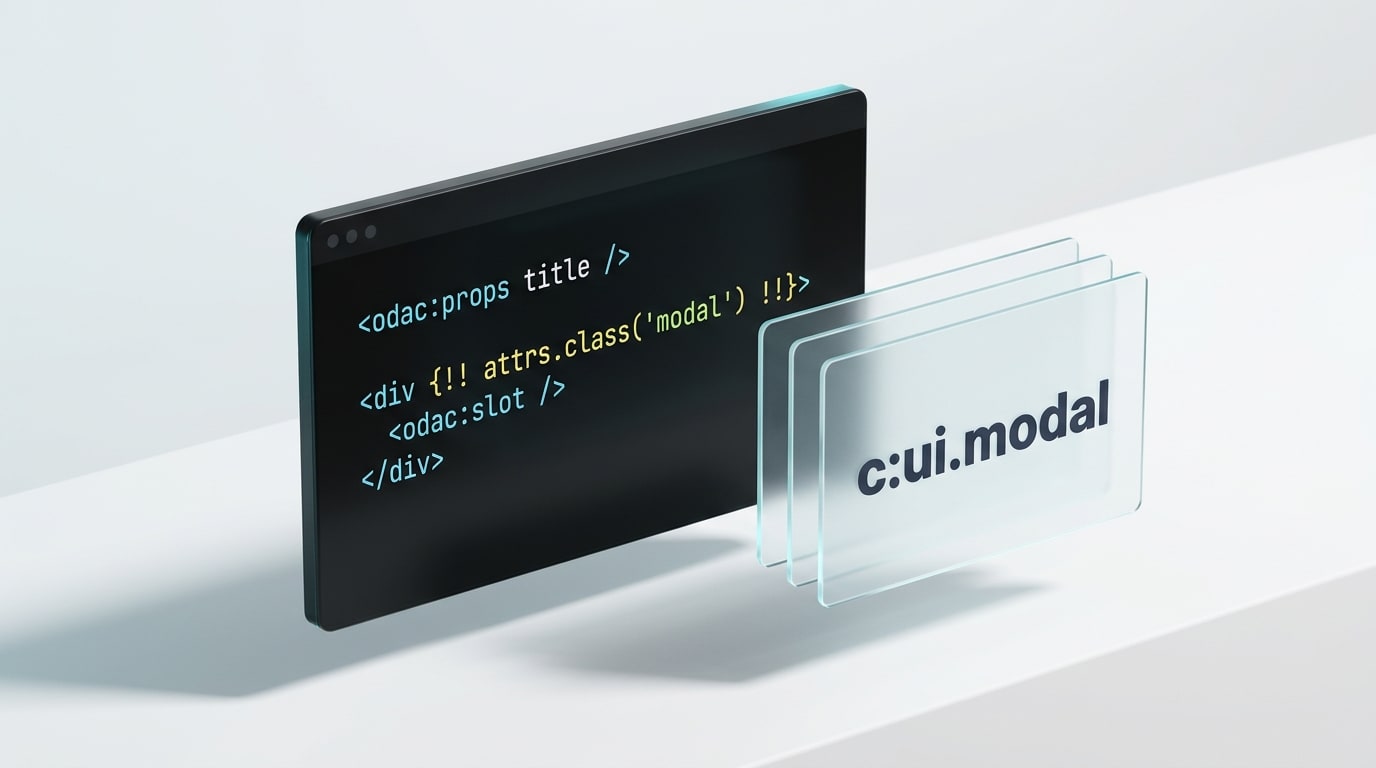
Server-side rendering in Node.js usually breaks down at the exact same moment: the third time you copy-paste a modal, a pricing card, or a danger button across four different templates.
Traditional template engines hand you naive partials (include('card')) that quietly inherit every variable in the parent scope, duplicate inline <script> tags on every loop iteration, and turn simple class overrides into string-concatenation gymnastics. Modern SPA frameworks solved component ergonomics years ago, yet somehow backend Node.js developers were still expected to tolerate fragile template sprawl or bolt on an entire React build pipeline just to reuse a button.
With ODAC.JS v1.8.0, that compromise is dead. We built a compiled, zero-config View Component system directly into the core template engine, complete with typed-by-default props, automatic class merging, caller-scoped slots, self-deduplicating asset stacks, and encrypted lazy rendering.
Show Me The Code
Drop an HTML file into view/components/. There is no registration array, no build step, and no bundler config. The file path becomes the tag name, prefixed with c:.
<!-- view/components/button.html -->
<odac:props variant="'primary'" />

<button {!! attrs.class('btn btn-' + variant) !!}>
  <odac:slot />
</button>
Now drop <c:button> into any view, part, or even inside another component:
<!-- view/content/users.html -->
<c:button>Save</c:button>
<c:button variant="danger" id="delete-btn" type="submit" class="ml-2">
  Delete Account
</c:button>
ODAC.JS compiles that directly into clean, escaped HTML:
<button class="btn btn-primary">Save</button>
<button class="btn btn-danger ml-2" id="delete-btn" type="submit">
  Delete Account
</button>
Why the c: prefix? Under the HTML specification, custom web component names cannot contain a colon, which guarantees that <c:button> or <c:ui.modal> will never collide with standard HTML elements or browser-native Web Components. Subdirectories map cleanly with dots: view/components/ui/modal.html becomes <c:ui.modal>.
Why We Refused to Build "Just Partials"
When designing components for ODAC.JS, we studied why classic Express, EJS, and Handlebars partials become unmaintainable in enterprise applications. Three structural flaws kept showing up, and we eliminated all of them by design.
1. Isolated Scope Over Implicit Globals
In most server template engines, an included partial silently sees every variable defined in the parent view. That convenience feels great on day one and turns into a debugging nightmare by month three, when renaming a loop variable in a page breaks an unrelated widget two levels down.
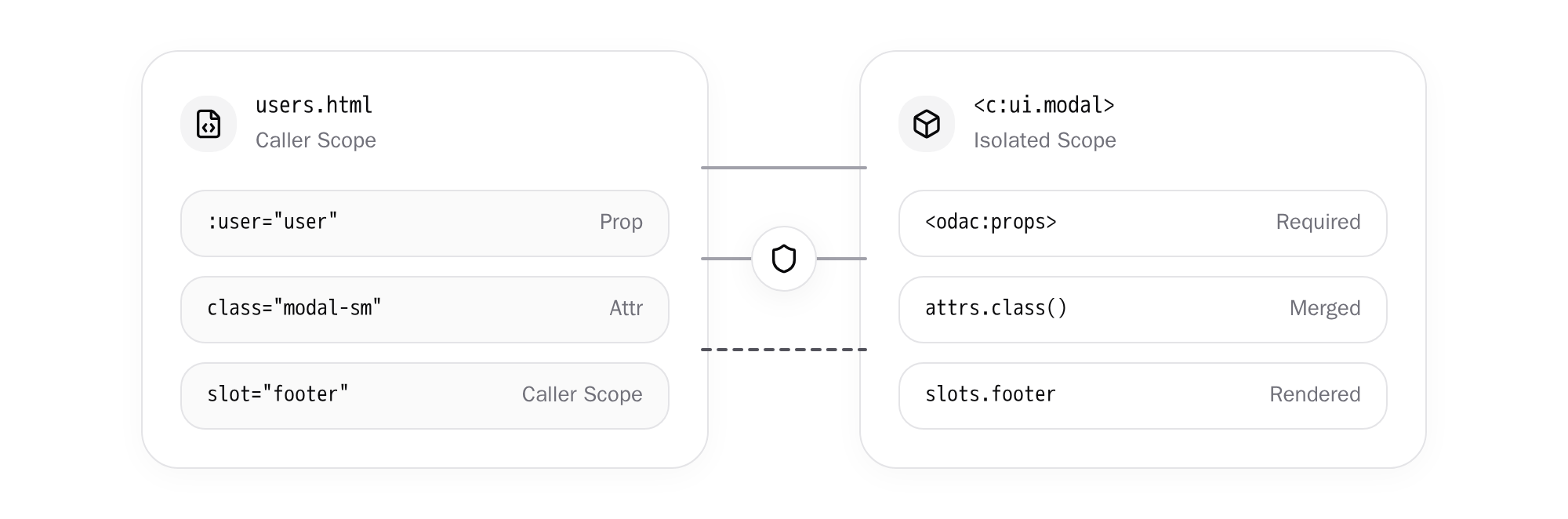
In ODAC.JS, a component sees only its declared props (alongside Odac, get(), and translation helpers like __()) and nothing else from the calling page. If a component needs user, you pass :user="user". The result is deterministic rendering: a component produces the exact same output regardless of which page hosts it.
2. Explicit Contracts That Fail Loudly
Templates should not fail silently with undefined leaking into production markup. Inside a component, <odac:props> sits at the top like a function signature:
<odac:props title="'Untitled'" size="'md'" count="0" :user />
- Default values are JavaScript expressions:
'Untitled'evaluates as a string,0as a number, and defaults can reference earlier props (total="price * 2") or evenawaitasync values. - Required props have no default: Writing
:useroruserwithout a value marks it mandatory. Omit it in a view, and ODAC.JS refuses to render a broken page: it returns a500error and logs the exact file, line number, and view chain that forgot the prop. - Mixed-type binding is native: Static strings (
title="Dashboard"), interpolated strings (title="Order #{{ order.id }}"), JavaScript expressions (:items="order.items"), boolean flags (disabled), and kebab-case attributes (max-items="5", mapped automatically toprops.maxItems) all work without extra syntax clutter. - Single-point XSS escaping: Values are HTML-escaped where they are printed (
{{ title }}), never when they are passed as props, eliminating double-escaping bugs.
3. Pass-Through Attributes Without Duplicate Class Bugs
Every UI component eventually needs an extra id, data-*, aria-*, or utility class at a specific call site. Declaring twenty boilerplate pass-through props just to forward data-test is tedious.
ODAC.JS automatically collects every undeclared attribute into the attrs helper. Printing {!! attrs.class('card') !!} on your root element forwards all HTML-escaped pass-through attributes, strips false, null, and undefined values, turns true into bare boolean attributes (hidden), and merges the component's base classes with whatever class the caller supplied.
<!-- view/components/card.html -->
<odac:props title="'Card'" />

<div {!! attrs.class('card') !!}>
  <h3>{{ title }}</h3>
  <odac:slot />
</div>
Need finer control? Use attrs.only('id', 'title'), attrs.except('id'), attrs.has('id'), or attrs.get('id'). Just remember one rule: never write a static class="card" attribute next to {!! attrs !!}, because browsers ignore the second class attribute. Always merge through attrs.class('card').
Composition Without Tears: Slots, Recursion, and :is
Real interfaces rarely stop at flat buttons. Modals need headers and conditional footers, wrappers need to forward children cleanly, and navigation menus often recurse through arbitrary tree depths.
Default and Named Slots
Anything placed between <c:ui.modal> and </c:ui.modal> fills the default slot, rendered wherever <odac:slot /> appears inside the component. Wrap fallback markup inside <odac:slot>Nothing here.</odac:slot> and it renders automatically when the caller leaves the body empty.
For multi-region layouts, named slots (<odac:slot name="footer">) let callers inject structured blocks while keeping markup clean. Even better, slots.footer is a boolean flag you can check with <odac:if condition="slots.footer"> so empty <footer> wrappers never pollute the DOM:
<!-- view/components/ui/modal.html -->
<odac:props title />

<div {!! attrs.class('modal') !!}>
  <header>{{ title }}</header>
  <div class="body">
    <odac:slot>Nothing here.</odac:slot>
  </div>
  <odac:if condition="slots.footer">
    <footer>
      <odac:slot name="footer" />
    </footer>
  </odac:if>
</div>
<!-- view/content/users.html -->
<c:ui.modal title="Delete {{ user.name }}" class="modal-sm" data-id="{{ user.id }}">
  <p>This action cannot be undone.</p>
  <odac:slot name="footer">
    <c:button variant="danger" :disabled="!user.deletable">Confirm</c:button>
  </odac:slot>
</c:ui.modal>
Crucially, slot content renders in the caller's scope, not the component's scope. Loop variables like user inside <odac:for> work seamlessly inside <odac:slot name="footer"> without needing to re-bind them. You can also provide slots conditionally with <odac:if> or forward slots through wrapper components (<c:card><odac:slot /></c:card>).
Self-Nesting Trees and Dynamic :is
Components can call other components and even call themselves recursively, making nested category trees or threaded comments trivial to write:
<!-- view/components/tree.html -->
<odac:props :node />
<li>
  {{ node.name }}
  <odac:if condition="node.children">
    <ul>
      <odac:for in="node.children" value="child">
        <c:tree :node="child" />
      </odac:for>
    </ul>
  </odac:if>
</li>
To ensure an infinite recursion bug never hangs a Node.js worker process, ODAC.JS enforces a hard nesting limit of 50 levels and responds with a clear 500 error if exceeded.
For CMS block builders and configurable dashboards, the long-form <odac:component> tag accepts a dynamic :is expression:
<odac:for in="widgets" value="widget">
  <odac:component :is="'widgets.' + widget.type" :data="widget" />
</odac:for>
ODAC.JS validates the resolved name against path traversal (../ and slashes are rejected with 500), though as a security rule you should still map untrusted user input against an explicit allowlist before passing it to :is.
Asset Deduplication and Cross-Part Stacks
Here is where server-rendered components traditionally fall apart. Suppose your <c:chart> component needs Chart.js in <head> and an initialization script before </body>.
If you hardcode those tags inside skeleton/main.html, every unrelated page pays the network cost. If you inline them inside view/components/chart.html, rendering five charts on a dashboard injects five duplicate <script> blocks into the middle of your HTML body.
ODAC.JS solves both problems natively, and wires them directly into AJAX navigation.
Render Once Per Response
Add the once attribute to <style once> or <script once>, or wrap arbitrary markup in <odac:once>:
<!-- view/components/tooltip.html -->
<style once>.tooltip { position: absolute; }</style>
<script once>document.addEventListener('mouseover', showTooltip)</script>
<odac:once><div id="tooltip-root"></div></odac:once>

<span class="tooltip" data-text="{{ props.text }}"><odac:slot /></span>
No matter how many <c:tooltip> instances appear on the page, the once blocks emit only on the first render in that response. Plain <script> and <style> blocks are also safely ignored by the component tag parser, so writing <c:example> inside a JavaScript string literal will never accidentally trigger a component render.
Push and Stack Across Full Loads and AJAX Navigation
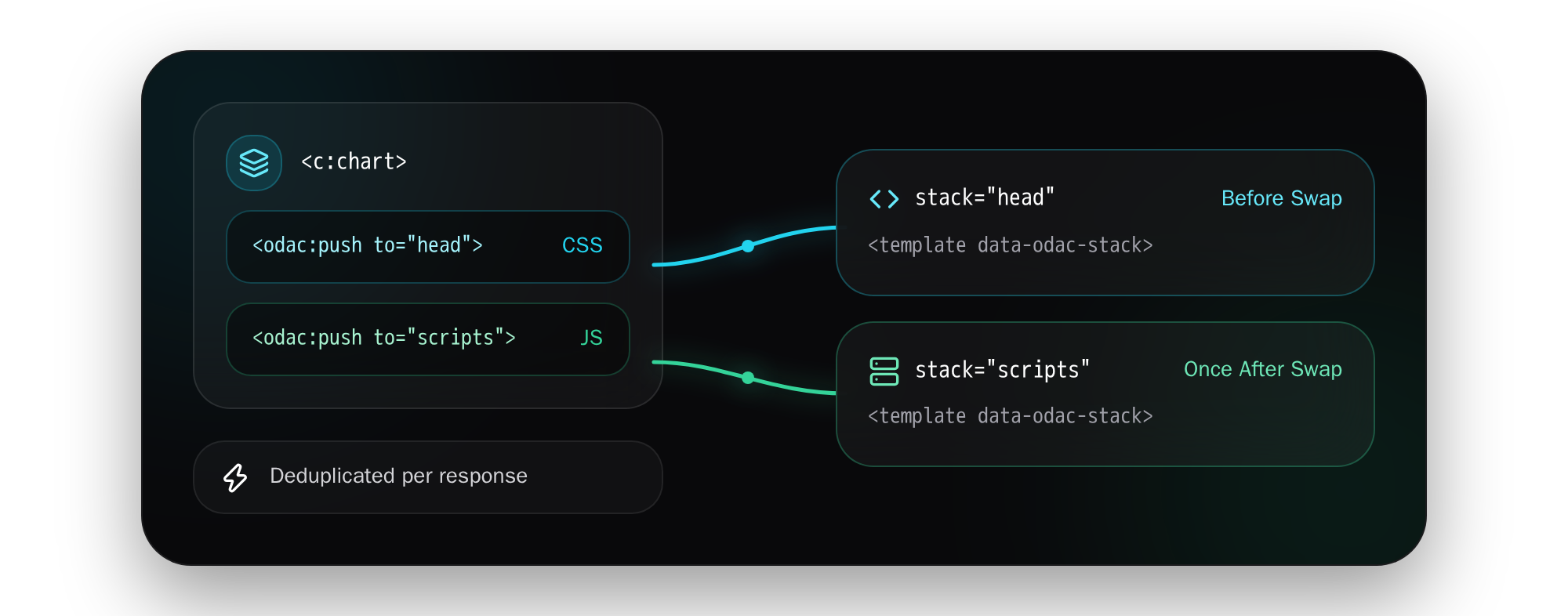
When assets belong in <head> or at the bottom of <body>, declare <odac:stack> targets in your layout (skeleton or view part) and push into them from any component:
<!-- skeleton/main.html -->
<head>
  <title>My App</title>
  <odac:stack name="head" />
</head>
<body>
  <main>{{ CONTENT }}</main>
  <odac:stack name="scripts" />
</body>
<!-- view/components/chart.html -->
<odac:props :points />
<odac:push to="head"><link rel="stylesheet" href="/css/chart.css"></odac:push>
<odac:push to="scripts"><script src="/js/chart.js"></script></odac:push>

<canvas class="chart" data-points="{{ JSON.stringify(points) }}"></canvas>
Pushed blocks evaluate in the component's scope (so {{ }} works), deduplicate identical entries automatically, and render at the matching <odac:stack> marker even when the stack sits above the component in the document.
Even better, this works seamlessly with ODAC.JS's zero-config AJAX navigation. Stack markers compile to invisible <template data-odac-stack> anchors. When a visitor navigates between pages over AJAX, the server sends only the stacks payload for the destination page. Before swapping DOM content, the client injects any missing stylesheets into the <head> stack so there is zero flash of unstyled content, swaps the updated page parts, and then executes newly pushed scripts once after the new DOM is ready.
Deferred Rendering with lazy Components
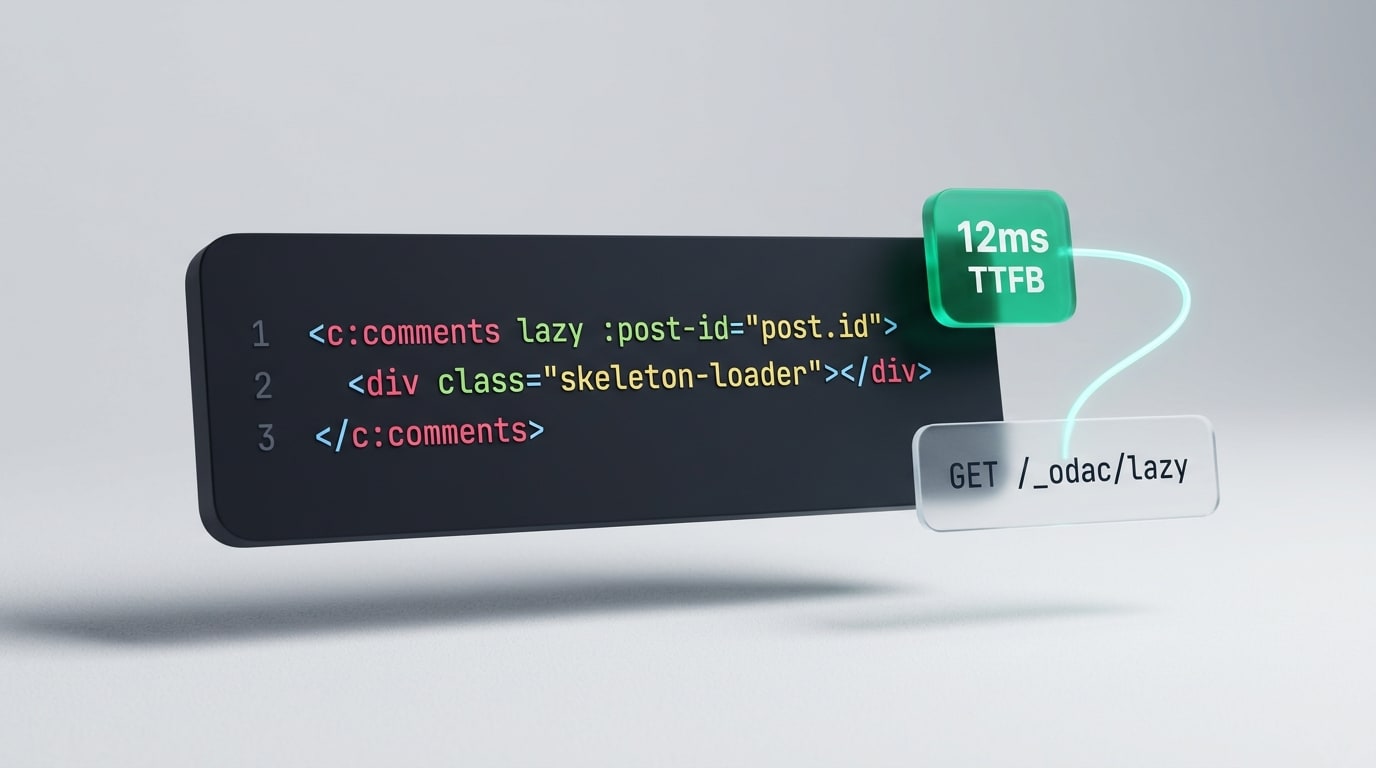
Some UI fragments should not block your Time to First Byte. The main article renders immediately, while its comment thread or a personalized user menu might require heavier database queries or slow upstream APIs.
Add lazy (viewport proximity, within 200px) or lazy="load" (immediately after page load) to any component tag, and place a skeleton loader inside its body:
<!-- view/content/post.html -->
<c:comments lazy :post-id="post.id">
  <div class="h-40 animate-pulse bg-gray-100"></div>
</c:comments>

<c:user-menu lazy="load" />
<!-- view/components/comments.html -->
<odac:props :postId />
<script:odac>
  const comments = await Odac.DB.comments
    .where('post_id', postId)
    .orderBy('id', 'desc')
    .limit(20)
</script:odac>

<section {!! attrs.class('comments') !!}>
  <odac:for in="comments" value="comment">
    <p>{{ comment.body }}</p>
  </odac:for>
</section>
Notice the security architecture behind lazy:
- Tamper-proof encrypted props: ODAC.JS serializes and encrypts the props (up to 3 KB) directly into the
<odac-lazy>placeholder token. The browser cannot read or forge:post-id="post.id", so you can pass record IDs safely and query inside the component. - Session-bound execution: The deferred
/_odac/lazyrequest executes with the visitor's own session andOdac.Authstate. Placeholders generated for a signed-in user work only for that user, guest placeholders work for anyone, and tokens expire after 7 days. You should still verify authorization inside components displaying private data. - Cached pages with personalized islands: Pages cached via
Odac.cache()remain fast and shared across all visitors, whilelazy="load"islands like a shopping cart badge or user menu hydrate per visitor right after load. - Clean lifecycle events: While loading,
<odac-lazy>carriesdata-odac-lazy-state="loading", switching toerroron failure, and dispatchesodac:lazy(detail.nodes) orodac:lazyError(detail.element) on completion. Any<odac:push>assets inside a lazy component automatically merge into the page's active stacks.
If you deploy across multiple servers, configure a shared encrypt.key in odac.json (sourced from .env) so every node can decrypt placeholders generated by its peers. Single-server apps automatically generate and share a key in storage/.key across worker processes.
Same Components in Email and Controllers
View reusability should not stop at browser pages. ODAC.JS extends the exact same component engine to transactional emails and real-time controller pushes.
Mail Components (view/mail/components/)
Email clients live in a world of table layouts and inline styles, so mixing web components with email markup is a recipe for broken renders. ODAC.JS keeps them cleanly separated in view/mail/components/:
<!-- view/mail/components/button.html -->
<odac:props :href label="'Open'" />
<a href="{{ href }}" style="background:#4f46e5;color:#fff;padding:12px 20px;border-radius:6px">
  {{ label }}
</a>
<!-- view/mail/welcome.html -->
<c:button :href="url" label="Confirm your email" />
Props, slots, once, and <odac:push> into a <odac:stack name="styles" /> inside the email's <head> all work identically. (Only lazy is disabled in mail templates, for obvious reasons.)
Rendering From Controllers and WebSockets
When a WebSocket event or an AJAX endpoint needs to broadcast a fresh UI fragment, you no longer have to duplicate HTML templates inside client-side JavaScript strings. Call Odac.View.component(name, props) directly from any controller or WebSocket handler:
// controller/cart/add.js
module.exports = async function (Odac) {
  const item = await Odac.DB.items
    .where('id', Odac.Request.get('id'))
    .first()

  return Odac.View.component('cart.item', {
    item,
    class: 'highlight'
  })
}
The second argument accepts both declared props and pass-through attributes (including kebab-case keys like 'max-items'), returning the exact same compiled HTML string as <c:cart.item>.
Performance and Gotchas to Keep in Mind
Every component in ODAC.JS compiles once into its own cached JavaScript module. In production (debug disabled), rendering a component is a direct function call taking only a few microseconds, with zero filesystem reads per request. In development (odac dev), editing a component invalidates only that component on the next request without forcing a recompile of every view that imports it.
Before you refactor your views into components, keep these practical guardrails in mind:
- Skeletons are static layouts:
skeleton/*.htmlfiles host<odac:stack>markers and part placeholders ({{ CONTENT }}), but they do not render<c:...>components directly. - Binding frontend frameworks: Because a leading
:on a component tag is always parsed as an ODAC.JS expression, use explicit attribute syntax such asx-bind:classfor Alpine.js or Vue bindings on component tags. - No silent gaps on failure: Missing component files, omitted required props, mismatched closing tags, or runtime exceptions inside a component always fail loudly with a
500response and log the full component-to-view trace. Lazy components keep their placeholder on500so the surrounding page stays intact. - Deploy restarts: Just like views, production caches compiled components per process, so restart your server on deploy to pick up updated files.
One Engine, Zero Compromise
You should not have to choose between the simplicity of server-rendered HTML and the composability of modern UI components. By compiling <c:...> tags straight into cached Node.js functions with explicit props, isolated scope, self-deduplicating stacks, and encrypted lazy islands, ODAC.JS gives you genuine component architecture with zero build step and zero runtime bloat.
Create view/components/button.html, drop <odac:stack name="scripts" /> into your skeleton, and start deleting duplicated markup today.