ODAC.JS Zero-Config SPA Navigation
Building a Single Page Application in the modern ecosystem feels like paying a massive architectural tax. You write your routing logic on the server, only to duplicate it on the client. You build robust backend controllers, but then you are forced to wire up complex state management libraries just to transition between two visual states. The web was fundamentally designed for documents, yet we have spent a decade shipping megabytes of JavaScript to override the browser's native navigation. With ODAC.JS, we completely rejected this paradigm.
Our goal was simple: achieve sub-millisecond server-rendered speeds while maintaining the liquid smoothness of a modern SPA. We looked at the boilerplate required by standard Express stacks paired with heavy frontend frameworks and knew there was a better way. We wanted the server to remain the single source of truth. By leveraging native browser APIs and building a native AJAX diffing engine into the core of ODAC.JS, we eliminated the need for complex client-side routing. The result is a radically simplified Developer Experience. You write standard HTML and server-side routes, and ODAC.JS automatically intercepts, diffs, and transitions the DOM.
Show Me The Code
Let us look at how you achieve a full SPA transition in ODAC.JS without writing a complex frontend routing layer.
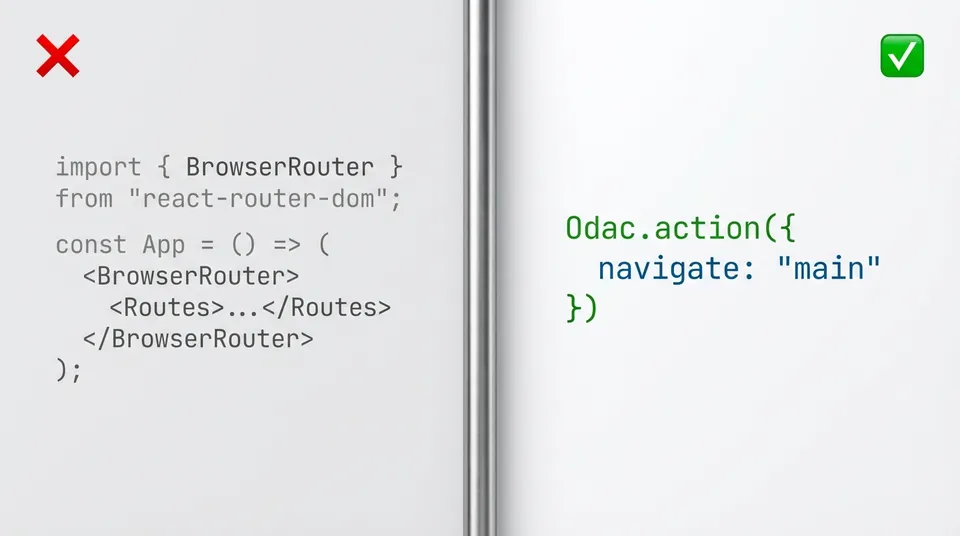
In ODAC.JS, the simplest way to enable AJAX navigation is by telling the framework which elements to update when an internal link is clicked. This is handled by our frontend Odac.action() engine.
// Minimal Setup (Recommended)
// Automatically handles all internal links starting with `/`
Odac.action({
  navigate: 'main'  // Update the <main> element on navigation
})
Once enabled, all internal links are automatically handled without any special attributes. You just write normal HTML:
<nav>
  <a href="/">Home</a>
  <a href="/about">About</a>
  <a href="/docs">Docs</a>
</nav>
When a user clicks one of these links, ODAC.JS intercepts the navigation, fetches the new page via AJAX, and seamlessly replaces the <main> element, fully integrating with the browser's History API so the back and forward buttons continue working perfectly.
Smart AJAX Part Diffing
When you trigger a navigation event, sending a full page reload is a waste of bandwidth and compute cycles. Standard frameworks require you to build JSON APIs and write frontend fetch wrappers to update specific components. ODAC.JS handles this natively using a server-driven part diffing system.
In ODAC.JS, you define your view skeletons with uppercase placeholders wrapped in HTML tags (e.g. <main></main>). The server automatically injects data-odac-navigate attributes onto these wrappers.
<!-- Example skeleton/main.html -->
<body>
  <header></header>
  <main></main>
  <aside></aside>
</body>
When navigating between pages via AJAX, ODAC.JS evaluates the incoming server-rendered HTML. Unchanged parts are completely skipped. If the sidebar view path remains the same, the server does not re-render it, and the client does not update its DOM. Only parts whose view path changed are rendered and sent to the client. This keeps your state intact, preserves focus, and completely eradicates the need for client-side state synchronization. You get the performance benefits of an SPA without the architectural complexity.
Forms and Native CSRF Protection
Handling form submissions in a typical SPA involves manual event prevention, payload serialization, and manual error state handling. In ODAC.JS, forms are first-class citizens of our automatic AJAX architecture.
<!-- Automatically handled by odac.form -->
<form id="contact-form" action="/api/contact" method="POST">
  <input name="email" type="email" required>
  <button type="submit">Submit</button>
</form>
Odac.form('#contact-form', function(data) {
  if (data.result.success) {
    alert('Form submitted successfully!')
  }
})
By passing your form selector to Odac.form(), the submission is automatically routed through our internal AJAX engine. Furthermore, ODAC.JS natively handles CSRF tokens behind the scenes, automatically generates error and success messages, and manages loading states. You get enterprise-grade security without manually wiring up token headers in your fetch requests.
The View Transition API
Speed is not just about backend latency; it is about perceived performance. To make navigation feel truly native, ODAC.JS integrates directly with the browser's View Transition API. By simply applying the odac-transition attribute, you command the framework to cross-fade, slide, or morph elements seamlessly between states. There is no heavy animation library to install or configure.
<!-- Element morphing with native View Transition API -->
<header odac-transition="header"></header>
<img odac-transition="hero" src="/hero.jpg" alt="Hero" />
When elements with the odac-transition attribute exist and the browser supports the View Transition API, ODAC.JS automatically assigns the view-transition-name and handles the morphing. If not supported, it gracefully falls back to a legacy fade animation.
This is the power of the ODAC.JS philosophy. We rely strictly on native capabilities to keep the framework core lightweight while delivering a maximum power feature set. Your application stays incredibly fast, your codebase stays clean, and your users get a beautiful, uninterrupted experience.